


English

 Manpreet Singh
Share: 


If you are trying to make money with Google AdSense by following advice written a few years ago, you are likely wasting your time.
The digital publishing world has changed completely. Google has shifted how it pays creators, search engines are using AI to answer queries directly, and internet users are more blind to traditional banner ads than ever before. The old playbook—launching a basic WordPress blog, spinning out twenty generic articles, throwing up some ad units, and waiting for click revenue—is dead.
Today, making money with AdSense is a game of pure efficiency, high-value topic selection, and user retention. It is no longer about tricking people into clicking a banner; it is about building a clean, lightning-fast website that attracts the right audience and keeps them engaged.
This guide is an honest, field-tested manual for building and running a profitable website using Google AdSense. No fluff, no false promises of overnight wealth—just the exact steps, math, and strategies required to build a sustainable digital publishing business.
The biggest change to happen to AdSense is also the most misunderstood: Google no longer pays publishers for ad clicks as its primary model.
AdSense has transitioned almost entirely to a Cost Per Mille (CPM) model. This means you are paid based on every 1000 ad impressions served, not when someone clicks on an ad banner.
Old Model: Low Traffic + High Clicks = High Revenue
Modern Model: High Traffic + Long Sessions + High Ad Viewability = High Revenue
This structural shift protects advertisers from accidental clicks and fraud, but it completely changes your job as a publisher. Your revenue now depends on two primary metrics: your total traffic volume and your Page RPM (Revenue Per Thousand Page Views).
To figure out your true earning potential, you must understand this formula:

If your website receives 50,000 page views a month and generates ₹40,000, your Page RPM is ₹800.
Your RPM isn’t a random number generated by Google. It is determined by three specific factors:
To help evaluate your potential earnings based on real programmatic variables, utilize the operational calculator below.
Choosing the wrong topic is the absolute number one reason publishers fail. You can write the most engaging articles on the internet, but if advertisers do not care about your audience, your AdSense earnings will be pennies.
When picking a niche, look for high commercial intent—meaning the readers are looking to buy products, solve expensive business problems, or make major life decisions.
| Profitable, High-RPM Niches | Low-Yield, Low-RPM Niches |
| Personal Finance & Investing: Credit cards, business loans, tax software, retirement planning. | General News & Current Events: High volume, but the audience has zero buying intent and leaves quickly. |
| B2B Software & Tech Tools: Web hosting, cloud security, project management platforms, developer workflows. | Celebrity Gossip & Pop Culture: Entertaining, but advertisers spend very little on these ad spaces. |
| Health, Fitness, & Wellness: Specialized medical equipment, physical therapy, luxury supplements. | Memes, Jokes, & Viral Content: Users scroll past everything, copy-paste content is rampant, and ad blockers are common. |
| Real Estate & Home Improvement: Solar panel installations, mortgage refinancing, professional remodeling. | Basic Informational Tutorials: Simple questions that search engines answer directly inside search results. |
The Reality Check: Do not try to build a massive general website covering “everything.” Google prefers deep topical authority. It is much easier to get approved and command high ad rates if you are the undisputed expert on a highly specific topic, like enterprise database security tools or boutique travel itineraries in Europe.
Google uses strict automated filters and human reviewers to check every single website applying for AdSense. If your site looks messy, feels incomplete, or relies on low-effort content, you will receive a generic rejection email stating: “Low Value Content.”
To ensure your site passes review on the very first try, complete this step-by-step preparation checklist.
Before writing content, you must establish trust. Create a clean main menu that links to these four essential pages:
Privacy Policy: Must explicitly state that you use Google AdSense and cookies to serve ads based on a user’s previous visits.
Terms of Service: Outlines the rules for using your website.
About Us: Explains who you are, your professional background, and why you are qualified to run this site.
Contact Us: Provides a working email address or a functional contact form.
Do not apply with a blank or half-finished website. You need a solid content library.
Every article should be at least 1,000 words long, highly detailed, and thoroughly formatted with helpful subheadings.
Avoid Unedited AI Content: If you use AI writing assistants, you must heavily edit the output. Add personal experiences, unique screenshots, and real-world examples. Pure AI text that repeats existing web pages will be flagged as low value.
Ensure every category on your site has active posts. If a reviewer clicks a category link and finds an empty page, you will be rejected.
Your site must be extremely easy to navigate. A regular visitor should be able to find any piece of content within three clicks of landing on your homepage.
Remove intrusive elements like broken layouts, broken images, unstyled fonts, or infinite pop-up boxes.
Run a quick scan of your site to find and fix any 404 error pages or dead links.
If your website gets traffic from the United Kingdom, Europe, or California, you are legally required to ask for user privacy consent. Google enforces this strictly. You must use a Consent Management Platform (CMP) that is officially certified by Google. Many popular WordPress plugins handle this easily for free. Without a proper consent banner, your application can be delayed or rejected.
Once everything is verified, copy the custom code snippet provided in your AdSense dashboard and place it into the <head> section of your website. Make sure your server doesn’t block Google’s review bots. The review process can take anywhere from 3 days to two weeks. Leave the code completely untouched during this period.
Once your site is approved, your goal is to maximize your revenue without destroying your user experience. If you overcrowd your layout with annoying, blinking ads, your page speed will plummet, your search rankings will drop, and your readers will leave immediately.
Google offers a feature called Auto Ads, which uses machine learning to scan your web pages and automatically place ads where it predicts they will perform best.
While Auto Ads are convenient, letting them run on autopilot without restrictions can make your site look incredibly cluttered. The smart approach is to use a hybrid setup:
Remember that because Google uses a CPM model, you only make real money if your ads are actually seen.
The Rule: An ad impression is only counted as viewable if at least 50% of the ad banner remains on the user’s screen for at least one continuous second.
If you place two large rectangular ads in your right-hand sidebar on desktop, and a mobile user scrolls straight down your content without ever seeing that sidebar, your viewability score drops.
How to fix this: Use a “sticky” CSS setting for your sidebar containers so that a single ad unit glides smoothly down the screen alongside the reader as they read. This keeps the ad viewable for a much longer period, driving up your effective CPM.
Traffic is the lifeblood of AdSense monetization. However, all traffic is not created equal. If you buy cheap, low-quality traffic from social media click-farms or sketchy traffic exchanges, Google will flag your account for “Invalid Traffic” and permanently suspend it.
To build a reliable income stream, focus on three sustainable traffic channels:
When writing content, do not target hyper-competitive search terms like “credit cards” or “how to travel.” Instead, look for specific, long-tail search terms that show real commercial interest but have lower competition.
Relying solely on search engine algorithms is risky. If an algorithm update changes your rankings overnight, your revenue can vanish. Protect your business by building audiences you own directly.
If your website takes more than three seconds to load on a mobile device, half of your visitors will click the back button before your ad network code even has a chance to execute.
Google AdSense is the absolute best starting point for any new digital publisher. It is reliable, backed by the largest advertiser pool in the world, and has no minimum traffic entry requirements.
However, as your website grows, you should look at AdSense as a stepping stone rather than your final destination.
[0 to 10k Sessions/Month] ──> Google AdSense (Learn site layout and clean SEO fundamentals)
[10k to 50k Sessions/Month] ──> Mediavine Journey or Ezoic (Introduce advanced ad testing)
[50k+ Sessions/Month] ──> Mediavine or Raptive (Transition to premium direct-deal networks)
Premium ad networks manage your ad inventory by connecting your site directly to private ad marketplaces and premium global brands. Because they manage high-volume sites, they can negotiate much higher rates on your behalf.
While AdSense is fantastic for establishing your initial monetization layout, shifting to a premium ad management network down the road can instantly boost your monthly ad revenue by 50% to 200% for the exact same amount of traffic.
This is one of the most stressful warnings a publisher can receive. It means Google has temporarily paused your ads because it suspects some of your traffic is fake or automated.
If Google rejects your site application for this reason, your site is too similar to what already exists on the web.
If you see a warning in your dashboard saying “Earnings at risk – One or more of your sites does not have an ads.txt file,” fix it immediately. This file tells ad buyers who is authorized to sell your ad space.
ads.txt file from your AdSense dashboard and upload it directly to your website’s root folder (e.g., [yourwebsite.com/ads.txt](https://yourwebsite.com/ads.txt)). Ensure it is publicly accessible and contains no typos.To eliminate over-analysis and get started right away, follow this practical, quarterly roadmap designed to get your site launch right on the first try.
[Days 1–30]: Setup & Core Content
 ├── Buy clean domain + fast hosting
 ├── Create required legal & About pages
 └── Publish first 10 long-form articles

[Days 31–60]: Scale & Apply
 ├── Publish 15 additional targeted articles
 ├── Install a Google-certified CMP privacy banner
 └── Copy the AdSense tracking code and submit for review

[Days 61–90]: Optimize & Build
 ├── Turn on mobile Anchor and Vignette ads
 ├── Set up sticky sidebar ad units for viewability
 └── Launch your email list to build direct traffic
Your Page RPM is directly linked to where your visitors live and what topics you cover. If your content targets a broad, non-commercial topic or your readers live primarily in Tier 3 economic regions, advertisers will bid very little for your ad space. Focus on creating deeper, highly specific content that answers commercial buying questions for audiences in Tier 1 countries to lift this metric.
Yes, but only if you use them as writing assistants, not automated replacements. Google explicitly penalizes unedited, generic AI content that offers zero new information. You must read through every piece of content, add your own insights, fix any factual errors, and include unique graphics or original data to ensure your site passes human quality reviews.
AdSense does not require a minimum traffic volume to keep your account open. However, Google only issues a financial payout once your accumulated earnings reach the minimum monthly threshold of ₹10,000. How fast you hit that goal depends entirely on your site’s traffic levels and your effective Page RPM.
No. Never click on your own live advertisements under any circumstances. Google uses highly advanced tracking algorithms to monitor invalid click behavior. Clicking your own ads—or asking your friends and family members to click them—will result in an immediate and permanent ban from the AdSense platform.
Mobile Anchor Ads (the sticky banners that remain attached to the top or bottom edge of a smartphone viewport) and Vignette Ads (the full-screen ads that pop up naturally between internal page transitions) are overwhelmingly the highest-earning mobile formats. They guarantee a high viewability rating without disrupting the flow of your written articles.
The automated and manual review process typically takes anywhere from 3 to 14 business days. If your site has technical bugs, poor navigation, or experiences hosting downtime while Google’s compliance bots are crawling your pages, the review can take up to a month.
Yes. If your website receives any traffic from visitors located in regions with strict data privacy laws (like the EU, UK, or California), Google requires you to display a certified consent banner. If you do not provide this option to your audience, Google will block ad requests for those users, lowering your overall earnings.
Yes, injecting external ad scripts will always add some data weight to your pages. To minimize this impact, choose a fast, lightweight theme, use lazy-loading scripts for ads located below the fold, and use a high-quality optimization plugin to compress your site’s files.
Yes. Google explicitly allows you to run alternative ad networks alongside AdSense, as long as your site remains easy to read. The total amount of advertising space must not overwhelm your actual content, and you cannot use deceptive layouts that trick visitors into clicking ads.
The most reliable way to boost your earnings is to optimize your above-the-fold ad viewability and target highly specific commercial search topics. Ensure your mobile anchor ads are fully active, add sticky behavioral settings to your desktop sidebar containers, and write highly focused articles that address specific buying questions within your niche.
Written by Manpreet Singh
An Internet wealth architect from India, a true master of turning clicks into gold. He possesses the innate ability to transform complex online models into actionable blueprints for everyday people, specializing in internet monetization, affiliate marketing, and mobile app revenue streams. Through his “low barrier to entry, high compounding returns” practical strategies, he has successfully guided thousands of global followers to convert their skills and passions into substantial online income.
Watch Video and Earn Money App India: Daily Yields, Rules & Fast UPI Transfers (2026)
For smartphone users searching for a reliable earn money app and video platform in India, task aggregators like Taurus have changed how micro-earnings work.
Manpreet Singh
Earn Real Cash on Teen Patti Master via Taurus App
If you are looking for a reliable way to win real money playing mobile games, Teen Patti Master is currently one of the most popular skill-based card games in India.
Manpreet Singh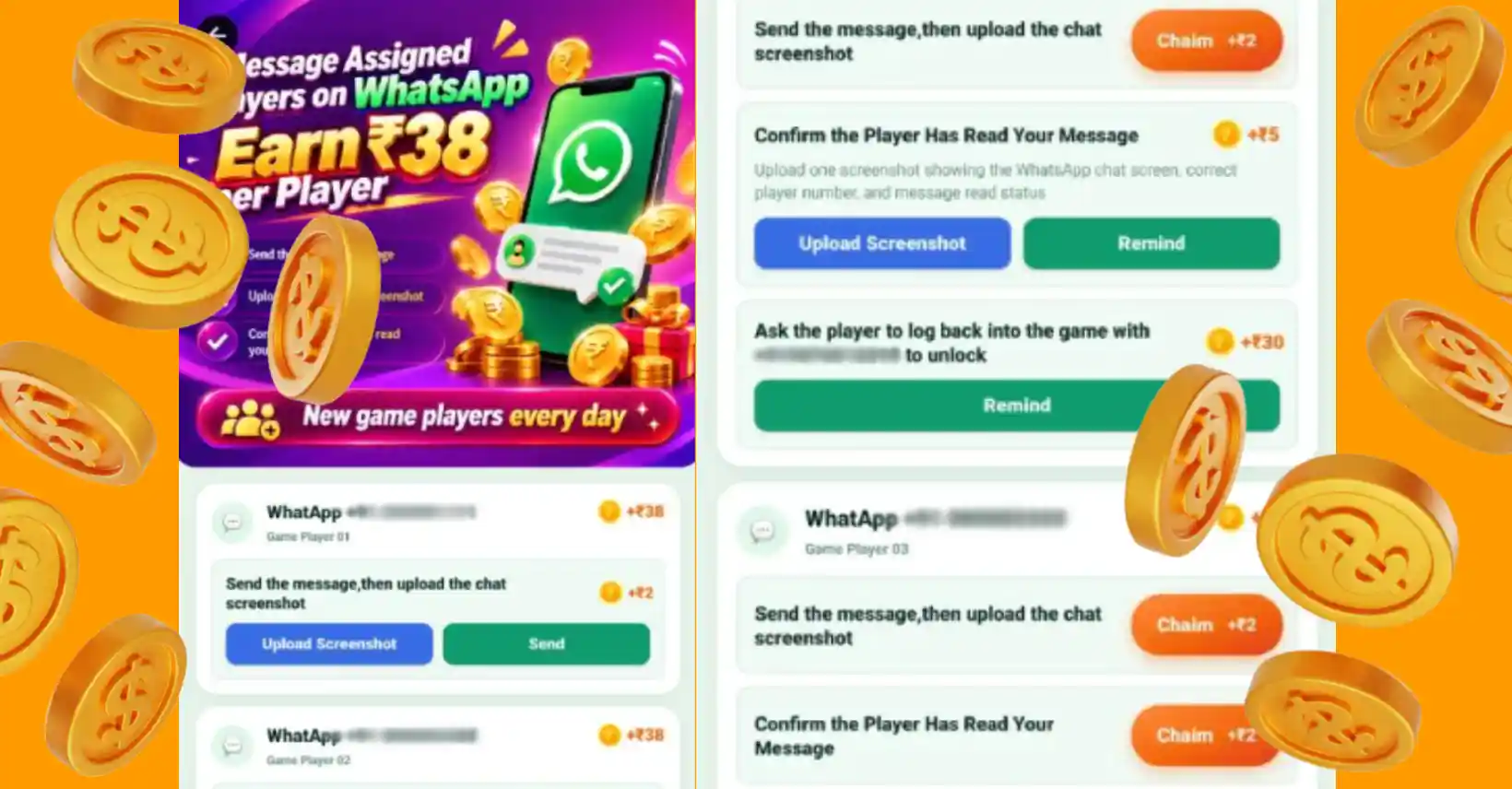
Taurus App WhatsApp Task Guide (2026): Earn Up to ₹38 Per Player & Maximize Daily Payouts
If you are looking to scale your daily income using the Taurus App in 2026, the newly updated WhatsApp Task Feature offers one of the most lucrative ways to earn money from home without upfront investment.
Manpreet SinghTable of contents:


Discover diverse earning methods on Taurus Cash APK, a mobile app offering tasks, skill-based games, and refer & earn programs. Join for a seamless income by completing daily tasks & earning commissions!




Businesse cooperation: [email protected]

 How to Earn