


English

Home > Ways to earn money > Taurus App WhatsApp Task Guide (2026): Earn Up to ₹38 Per Player & Maximize Daily Payouts
 Manpreet Singh
Share: 


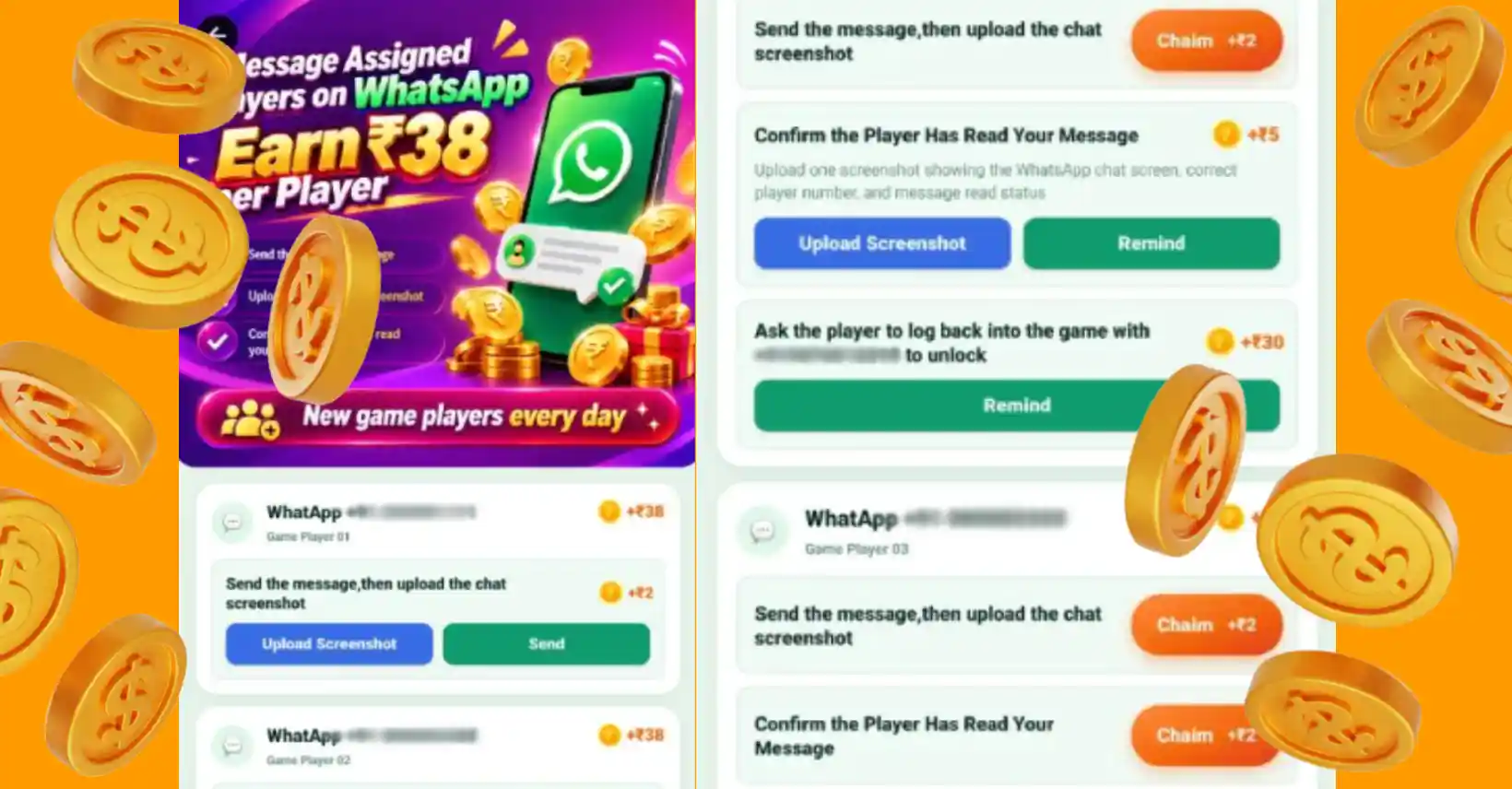
If you are looking to scale your daily income using the Taurus App in 2026, the newly updated WhatsApp Task Feature offers one of the most lucrative ways to earn money from home without upfront investment.
With the reward system updated to ₹38 per assigned player, users now have a structured, multi-step pipeline to earn consistent cashback every single day. However, doing these tasks efficiently requires an understanding of how player assignment works, how to prevent account flags, and how to convert these task interactions into long-term active players.
This definitive guide will cover everything you need to know about completing Taurus WhatsApp tasks, verifying proof, protecting your messaging accounts, and withdrawing your earnings seamlessly.
The Taurus WhatsApp Task is a re-engagement marketing module inside the Taurus platform. Instead of forcing users to acquire entirely new users from scratch, Taurus assigns existing, inactive, or registered game players (from popular titles like Teen Patti Master, Rummy, and other partner apps) to your task dashboard.
Your objective is simple: Act as a bridge between the platform and the player.
By sending personalized reminders, checking up on their gameplay, and informing them about current recharge bonuses or login events, you help reactive players while earning a commission for every stage of progress they make.
Taurus has divided the ₹38 incentive into three progressive milestone payments. This guarantees that you get paid for your effort even if the assigned player only completes the initial steps.
| Task Milestone | User Action Required | Proof / Verification Method | Reward Amount |
| Stage 1: Contact & Delivery | Send the system-generated message to the player | Screenshot of sent chat uploaded to Taurus App | ₹2 |
| Stage 2: Read Status Confirmation | Ensure the player has opened and read the message | Screenshot showing double blue ticks / read receipt | ₹5 |
| Stage 3: Account Unlock & Re-login | Player logs back into their game account | Automatic system tracking upon player login | ₹30 |
| Total Potential Bonus | Full completion for a single player | Automated + Manual Review | ₹38 / Player |
To avoid task rejections and ensure your proofs are approved on the first attempt, follow this exact workflow:
Because you will be reaching out to multiple assigned contacts daily, protecting your personal WhatsApp account from spam filters is critical. Follow these safety protocols:
Your ultimate goal isn’t just to claim the ₹38 task reward—it’s to turn these assigned contacts into paying, active downline members. When a player re-engages and tops up their game wallet, your long-term affiliate commissions increase significantly.
If an assigned number fails to load on WhatsApp, skip the task and move to the next assigned player. You can report invalid numbers directly inside the task interface to refresh your queue.
Initial proof submissions (Stage 1 & Stage 2) are typically reviewed within 1 to 6 hours. High-quality, uncropped screenshots with visible timestamps and numbers are processed faster.
Yes. All approved task rewards accumulate in your main Taurus wallet balance. Once you reach the minimum payout threshold, you can initiate an instant withdrawal via UPI or direct bank transfer.
Written by Manpreet Singh
An Internet wealth architect from India, a true master of turning clicks into gold. He possesses the innate ability to transform complex online models into actionable blueprints for everyday people, specializing in internet monetization, affiliate marketing, and mobile app revenue streams. Through his “low barrier to entry, high compounding returns” practical strategies, he has successfully guided thousands of global followers to convert their skills and passions into substantial online income.
Taurus App Paid Surveys Guide: Zero Investment Daily UPI Cash
Among the multiple micro-task options available on the Taurus App, the Questionnaire section offers a direct, zero-investment path for Indian users looking to generate daily side income.
Manpreet Singh
Watch Video and Earn Money App India: Daily Yields, Rules & Fast UPI Transfers (2026)
For smartphone users searching for a reliable earn money app and video platform in India, task aggregators like Taurus have changed how micro-earnings work.
Manpreet Singh
Earn Real Cash on Teen Patti Master via Taurus App
If you are looking for a reliable way to win real money playing mobile games, Teen Patti Master is currently one of the most popular skill-based card games in India.
Manpreet SinghTable of contents:


Discover diverse earning methods on Taurus Cash APK, a mobile app offering tasks, skill-based games, and refer & earn programs. Join for a seamless income by completing daily tasks & earning commissions!




Businesse cooperation: [email protected]

 How to Earn